Revit Error Explained6 min read

Revit "There are identical instances in the same place": find and delete duplicates

Where duplicate elements come from, how to remove hundreds of them without clicking each one, and why ignoring the warning costs money in schedules.

By(Architect & Revit API Developer)
Updated: October 2026Revit 2023 - 2027
Revit warning
There are identical instances in the same place. This will result in double counting in schedules.
Quick answer

Fastest fix: open Manage > Warnings, expand "There are identical instances in the same place", tick one element of each pair, and click Delete Checked. To preserve existing tags and dimensions, delete the instance with the higher element ID so the original remains in place.

Why it happens: two or more instances of the same family type occupy the exact same coordinates (typically caused by Paste Aligned to Same Place or double-clicks). Only one element is visible in views, but schedules and quantity takeoffs double-count every stacked copy.

01Copy and Paste

Paste Aligned to Same Place into the same view or level

Copying elements and pasting them with Aligned to Same Place, Aligned to Current View or Aligned to Selected Levels onto the level they came from creates exact copies on top of the originals. This is the fastest way to create hundreds of duplicates by accident.
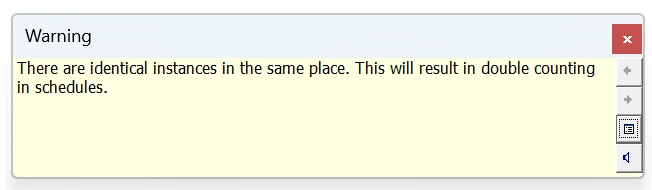
Revit 2026 warning: There are identical instances in the same place. This will result in double counting in schedules.
Revit 2026: a door copied and pasted with Aligned to Same Place.
Fix

Press Ctrl+Z right after an unintended paste. If it is too late, delete the duplicates from the warnings dialog as described below.

Quick Check

A warning count that jumps by dozens after one paste is a paste duplicate.

02Placement and Arrays

Double clicks, arrays and groups placed twice

Placing a component with a double click, an array whose first copy lands on the original, or a model group placed twice in the same spot all leave stacked instances. Groups are tricky: every duplicate inside them repeats with every group instance.

Fix

For groups, edit the group, remove the duplicate inside it and finish: all instances update. For arrays, check the array count and the start point.

Quick Check

If the same warning appears once per group instance, the duplicate lives inside the group definition.

03Bulk Cleanup

Delete duplicates in bulk from the warnings dialog

Selecting stacked elements in a view is unreliable, because a click picks only the top one. The warnings dialog lists every pair with both element IDs, which makes it the safest place to clean up.

Fix

Open Manage > Warnings. Expand "There are identical instances in the same place", expand each entry and tick one of the two elements, then click Delete Checked. Leave the other element in place so hosted items and tags stay.

Quick Check

Tick the element with the higher ID: it is usually the copy, and the original keeps its tags and references.

04Schedules

Why the warning matters even if nothing looks wrong

Duplicates are invisible on drawings but visible in every number: door schedules, furniture counts, cost estimates and IFC exports. They also add to file size and the overall warning count that slows reviews.

Fix

After cleanup, compare the schedule totals before and after. Add a check of this warning to your pre-issue checklist so duplicates never reach a tender schedule.

Quick Check

A schedule count that drops after cleanup is the cost the warning was hiding.

Warning counts are one of the ten indicators in the Revit model health rules for teams.

Frequently Asked Questions

How do I find duplicate elements in Revit?

Open Manage > Warnings and look for 'There are identical instances in the same place'. Each entry lists the elements involved with their IDs, and Show highlights them in a view.

How do I delete identical instances in Revit at once?

In Manage > Warnings, expand the warning group, tick one element in each pair and click Delete Checked. This removes many duplicates in one step without selecting stacked elements in a view.

Can I ignore the identical instances warning?

You can, but schedules and quantities will count every duplicate. The warning exists precisely because the error is invisible on drawings.

Related ModelGuard guides

Stop model damage before it reaches central

Karo.ModelGuard asks for a reason or blocks exploding CAD, fake dimension overrides and deleting links, levels and grids, and writes every decision to a shared team log. It does not fix existing warnings; it stops the actions that create them.